The AI Computer Operations Center
Finally... a PC Optimizer That Explains Everything Before It Changes Anything.
Grandma Optimizer Pro finds what's slowing down your computer, explains every recommendation in plain English, and lets you approve every change before it's made.
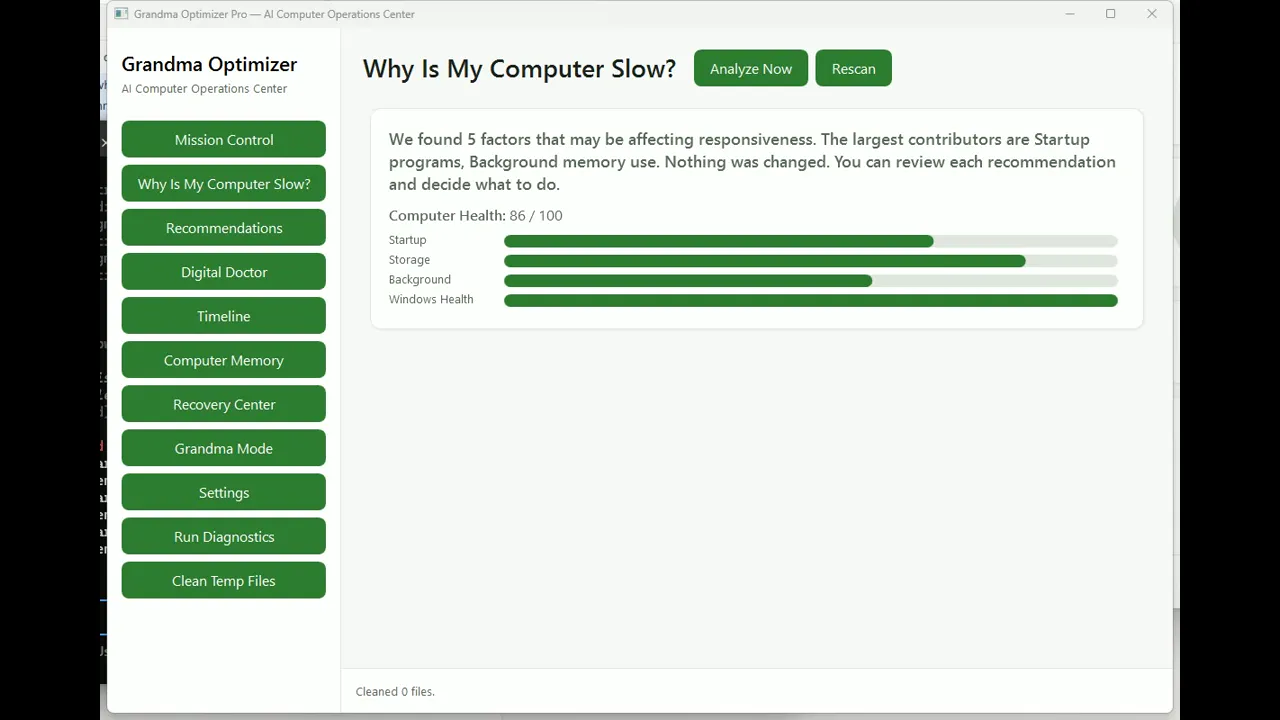
Grandma's Computer Checkup™
Your PC Health
Example Computer Health Report
Computers Shouldn't Be This Complicated.
Grandma Optimizer Pro was created because helping your parents, grandparents, or even yourself with a slow computer shouldn't require an IT certification.
Most PC utilities are built for technicians. They hide technical jargon behind buttons, run silent 'optimizations' you never asked for, and leave you wondering what just happened.
We built Grandma Optimizer for a different reason: the person using it should always understand what's happening and always be in control.
Signing Status
Final Security Signing in Progress
Privacy First
Zero Cloud Data Uploads
SHA-256 Verified
5e1864f37b1f...
Windows Native
Windows 10 / Windows 11 (64-bit)
The Real Reasons Windows Gets Slower Over Time
Grandma Optimizer Pro diagnoses the six most common slowdown causes—then explains each one in plain English before you change anything.
Startup Programs
Every time Windows starts, dozens of programs may launch automatically. Some are essential. Many are not.
Each unnecessary startup app adds seconds to your boot time and uses memory before you open a single program.
We show you every startup program, explain what it does, and let you disable the ones you don't need.
Low Memory
Programs compete for RAM. When memory runs low, Windows starts moving data to your slower hard drive or SSD.
Low RAM makes everything feel sluggish—apps freeze, switching windows lags, and simple tasks take forever.
We identify memory hogs and background processes so you can reclaim RAM and make your PC feel responsive again.
Storage Clutter
Temporary files, update leftovers, browser caches, and installer debris pile up over months and years.
A nearly full or cluttered drive forces Windows to work harder for every file it reads or writes.
We find safe-to-remove junk, show you exactly what will be deleted, and never touch your personal files.
Windows Health
Pending updates, corrupted system files, and system integrity issues can quietly degrade performance.
Missing updates and damaged system files cause crashes, slowdowns, and security gaps that get worse over time.
We run native Microsoft SFC and DISM checks safely and explain any issues before repairing them.
Browser Extensions
Browser add-ons run in the background, often consuming memory and CPU even when you aren't browsing.
Heavy or outdated extensions can slow down your entire computer, not just your web browser.
We flag extensions that may be slowing you down and let you choose which ones to keep.
Background Activity
Apps and services run behind the scenes, using CPU, memory, and disk resources you never see.
Background activity steals performance from the programs you actually want to use.
We surface hidden activity, explain what's safe to adjust, and protect essential Windows and security services.
See What a Real Scan Feels Like
No download required. Start a simulated scan and watch how Grandma Optimizer Pro explains your computer's health.
Analyzing your computer...
No download required. Start a simulated scan and watch how Grandma Optimizer Pro explains your computer's health.
See Grandma Optimizer Pro in Action
Real screen recordings today. More feature demonstrations are in active development.
Complete Product Tour
Complete Product Tour
A full walkthrough of the dashboard, scan experience, approval workflow, and Recovery Center.
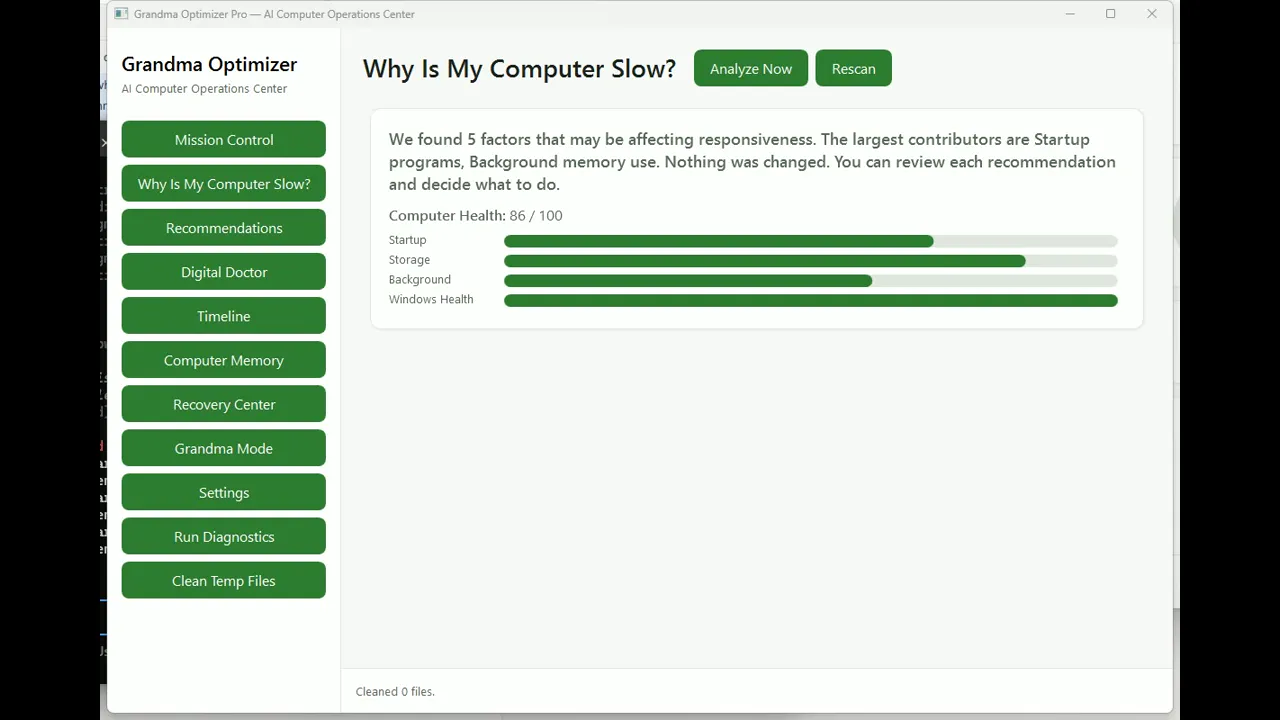
Why Is My Computer Slow?
Why Is My Computer Slow?
Watch Grandma Optimizer Pro identify and explain the six most common causes of Windows slowdown—without making changes automatically.
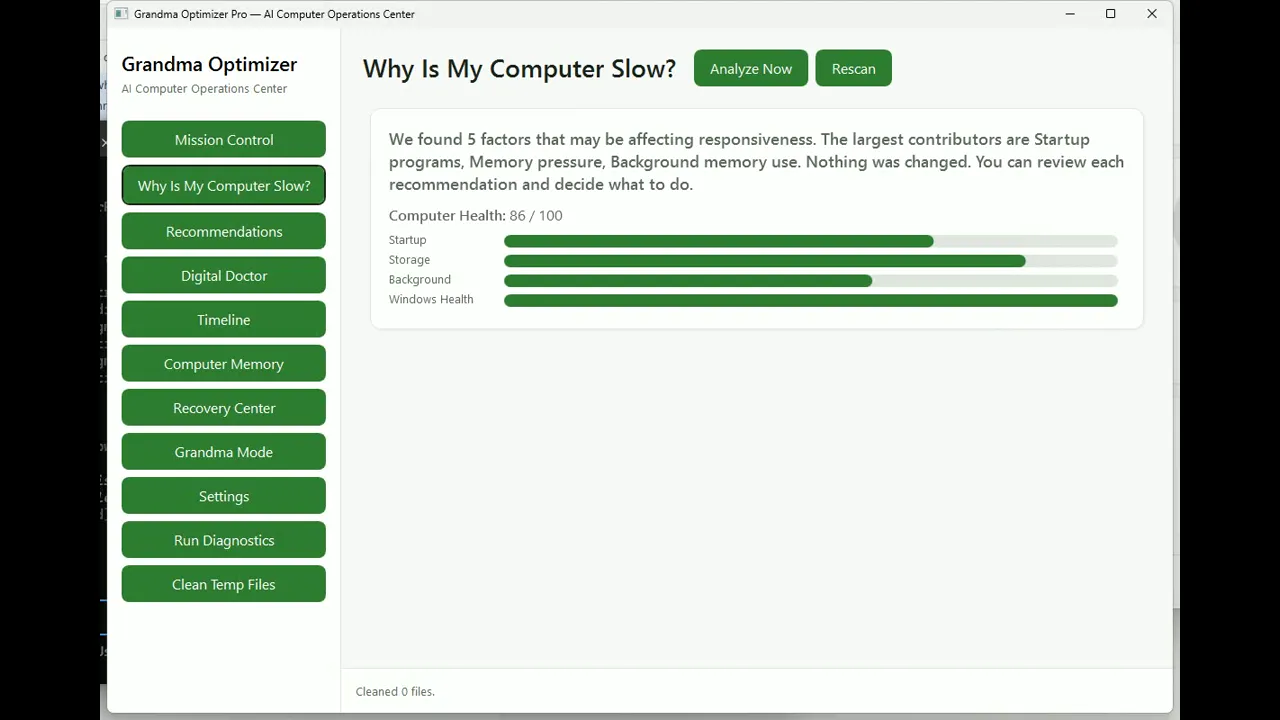
Your First Scan
Your First Scan
Watch how the system analyzes storage, startup, background load, and health without changing anything automatically.
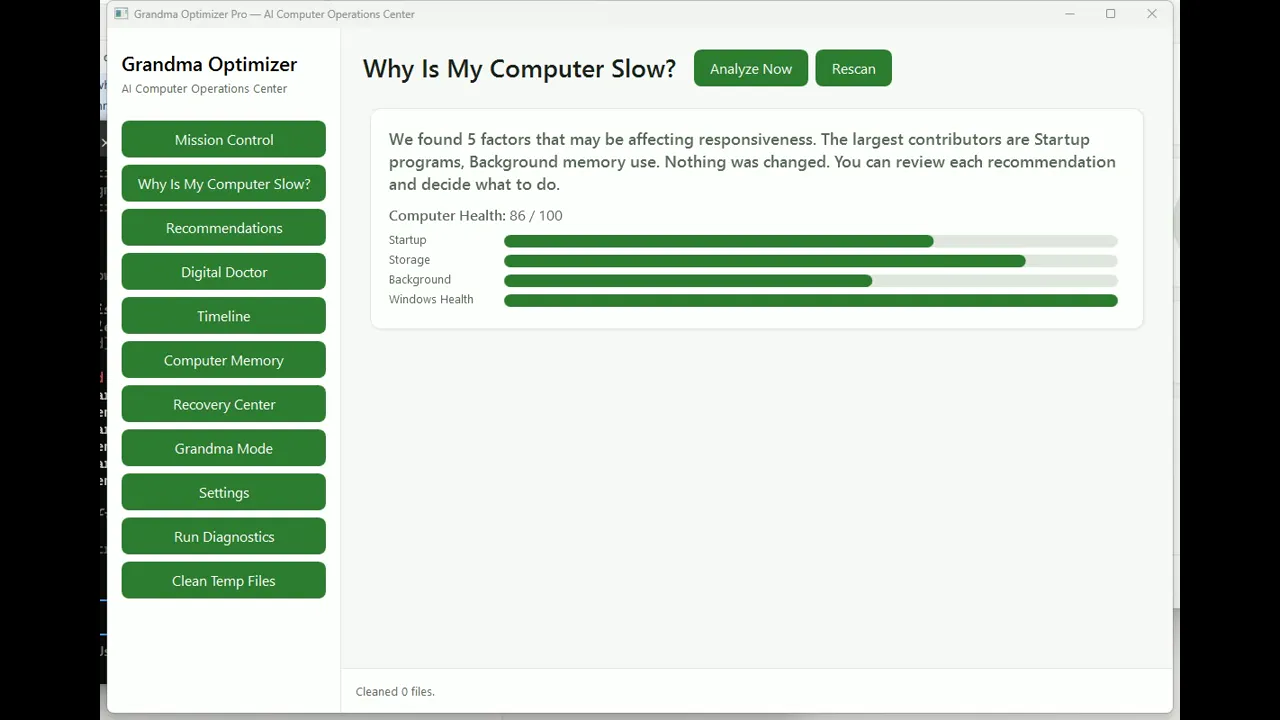
Review Before Applying
Review Before Applying
Watch the approval workflow that keeps you in control of every system change.
AI Digital Doctor
Coming Soon
Grandma Mode
In Active Development
Computer Health Timeline
Coming Soon
Recovery Center
In Active Development
Startup Optimizer
Coming Soon
Memory Optimizer
In Active Development
Storage Cleanup
Coming Soon
New Computer Migration
In Active Development
Grandma Optimizer vs. Typical PC Optimizers
We don't believe in magic buttons. We believe in transparency, approval, and recovery.
| Capability | Grandma Optimizer Pro | Typical PC Optimizers |
|---|---|---|
| Explains every recommendation | Plain-English reason for every action | Often limited explanation |
| Approval before changes | You approve every change | Some tools automate aggressively |
| Recovery Center | Built-in undo for supported changes | Undo may be limited |
| Timeline of changes | Full history with one-click undo | Not always available |
| Plain-English guidance | Every screen is designed for everyday people | Often technical or confusing |
| 'Why is my PC slow?' analysis | Six-factor breakdown with impact estimates | Usually limited |
| Ads and upsells | Zero ads, zero popups | May include ads or upsells |
| Personal file protection | Never touches photos, documents, or downloads | May scan personal folders |
Three Simple Steps to a Faster Computer
No technical knowledge required. Grandma Optimizer Pro handles the complexity while keeping you in charge.
Scan
Run a free health check that analyzes startup programs, memory pressure, storage clutter, and Windows health.
Review
Every recommendation is explained in plain English. Green items are safe; yellow ones ask for your approval.
Optimize Safely
Apply only the changes you want. Every action is logged so you can undo it anytime from the Recovery Center.

We Built Grandma Optimizer Because Maintaining a Computer Shouldn't Require an IT Degree
Most PC utilities are built for technicians. We built ours for real people.
Most PC utilities hide settings behind jargon, run silent 'optimizations' you never asked for, and panic you into clicking buttons you don't understand.
Grandma Optimizer Pro is different. It was designed around one simple idea: the person using it should always understand what's happening and always be in control.
Customer Stories Will Appear Here After Public Beta
We're collecting real feedback from our first beta testers. Honest stories from real users will be published here once the public beta is underway.
Everything You Need to Know
Clear answers to common questions about safety, compatibility, and how Grandma Optimizer Pro works.
Available Today & Coming Soon
Grandma Optimizer Pro is already powerful, and it's actively evolving.
Available Today
- Analyze Your Computer
- Explain Why It's Slow
- Safe Recommendations
- Recovery Center
- Approval Workflow
Coming Soon
- AI Digital Doctor
- Credential Rescue Center
- Computer Health Timeline
- Predictive Maintenance
- One-Click PC Migration
Ready to See What's Slowing Your Computer?
Grandma Optimizer Pro v2.0 is complete and production-tested. Final security signing is in progress. Visit the Download Center to be notified when public download opens.